MacBook Repairs

Cracked screen, dead battery, MacBook won't turn on — tell us what's wrong and we'll tell you exactly how we fix it. The Repair Hospital has resolved MacBook issues for individuals, businesses, and schools across Singapore, with over 580 five-star reviews.

What's Wrong With Your MacBook?

Select the issue closest to what you’re experiencing. Each repair type below explains what causes it, what our fix involves, and what to expect.

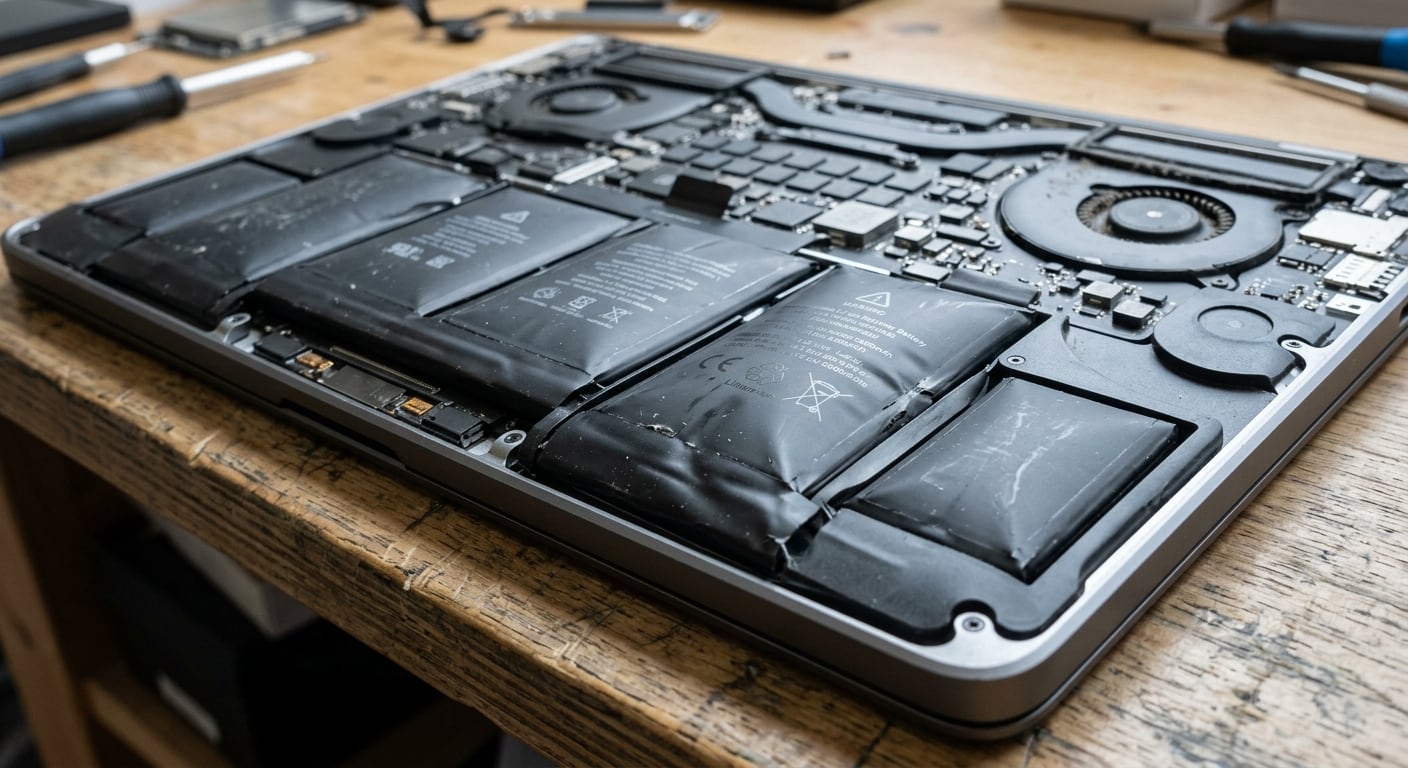
MacBook Pro battery replacement in Singapore workshop

Battery Replacement

Drains fast, won’t hold charge, or swollen battery.

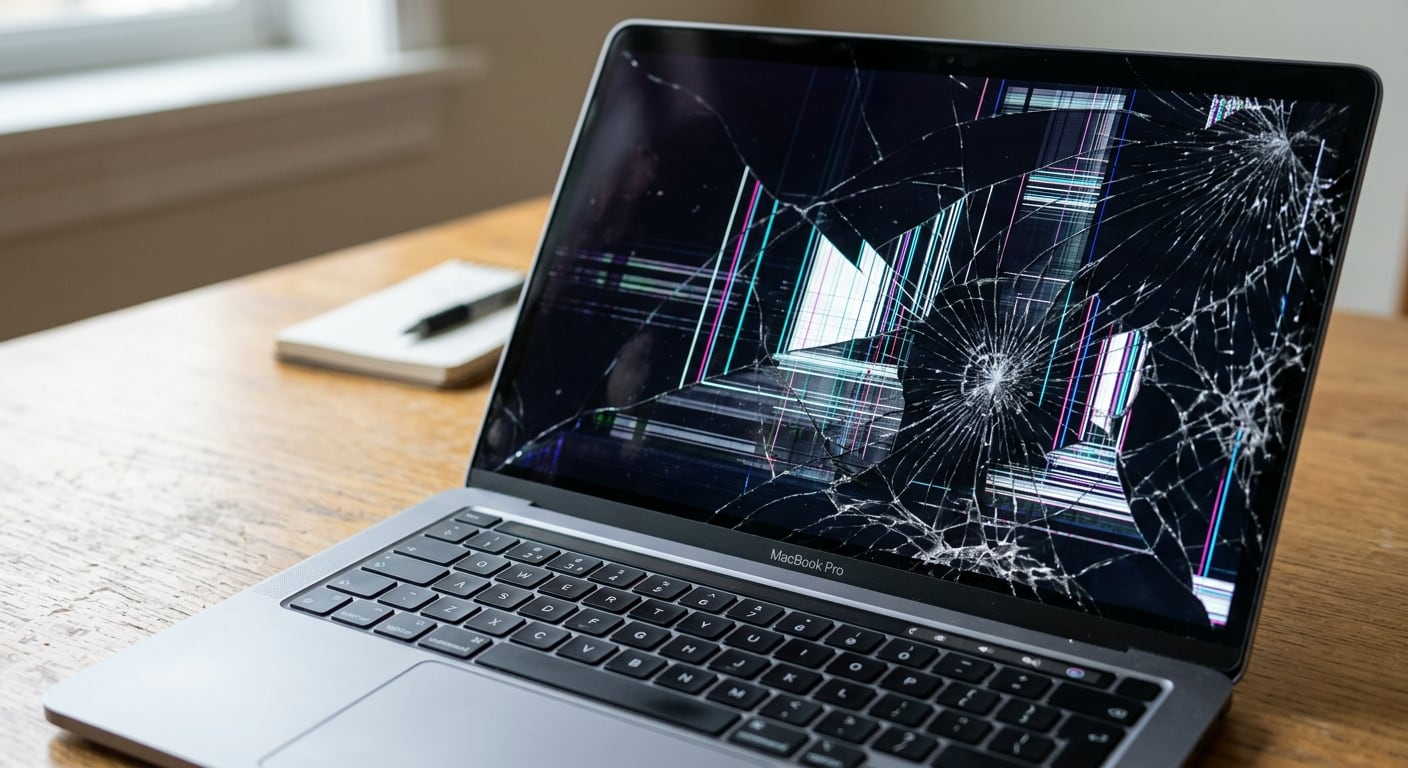
Cracked MacBook Pro screen, a common issue for MacBook repair in Singapore.

Screen Repair

Cracked, shattered, blank, or flickering display.

MacBook keyboard with a missing 'G' key, relevant for MacBook repair Singapore.

Keyboard Repair

Sticky, unresponsive, or missing keys.

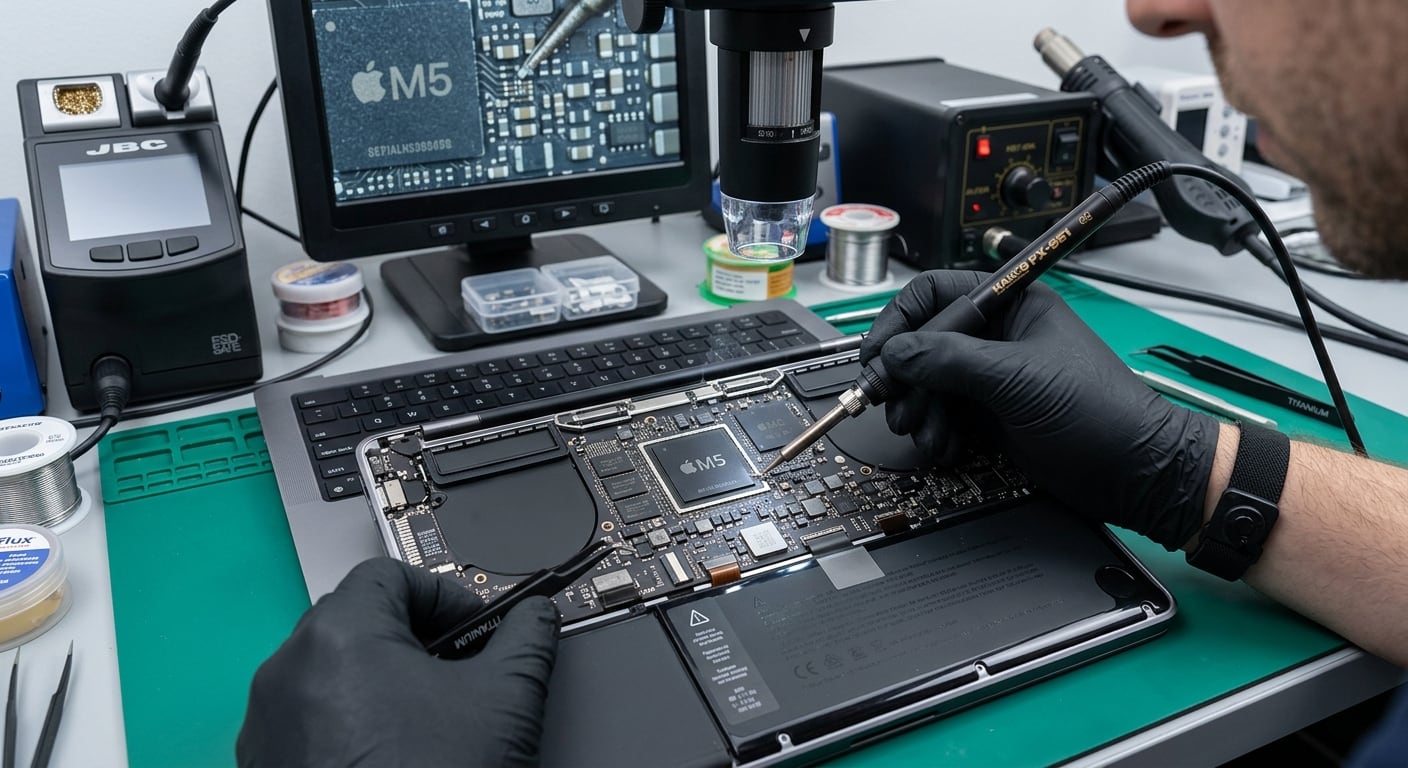
MacBook repair in Singapore: technician soldering M5 chip on logic board

Logic Board Repair

Won’t turn on, random shutdowns, no display on boot.

MacBook repair in Singapore: Hand using trackpad on a MacBook Pro laptop.

Trackpad (Touchpad) Repair

Not clicking, misreading gestures, or unresponsive.

Coffee spill on MacBook Pro trackpad, a common cause for MacBook repair in Singapore.

Water & Liquid Damage

Spilled water, coffee, or other liquid on your MacBook.

Coffee spill on a MacBook keyboard, needing MacBook repair in Singapore.

Speaker & Audio Repair

Crackling, distorted, or no sound at all.

MacBook USB-C/Thunderbolt ports unresponsive, a common issue in MacBook repair in Singapore.

Ports & Charging Repair

Won’t charge, loose connection, or USB-C/Thunderbolt ports not working.

MacBook fan assembly with copper windings, for Macbook Repair Singapore

Overheating & Fan Repair

Runs hot, loud fan noise, shuts down under load.

MacBook repair tools and components in Singapore workshop

Data Recovery

Recover files from a MacBook that won’t boot.

MacBook Repair Types We Handle

Screen Repair

A cracked, shattered, or blank MacBook screen usually comes from a drop, closing the lid on an object, or pressure damage from being carried in a bag. Some screens still work but show discolouration, flickering, or lines — that’s a sign the display cable or panel itself needs replacing, not just the glass.

What we check

  • Physical crack vs internal display fault
  • Touch sensitivity (Touch Bar models)
  • Backlight and colour uniformity

What the fix involves

  • Full screen assembly replacement
  • Testing on your exact MacBook model
  • Free diagnostic before any work starts
Battery Replacement

If your MacBook drains within an hour, shuts down unexpectedly at 20%, or the battery has visibly swollen, the battery has likely reached end of life — normal after a few years of daily charging. A swollen battery should be dealt with quickly, as it puts pressure on the trackpad and case.

What we check

  • Battery health and cycle count
  • Whether it’s holding charge or swollen
  • Charging circuit condition

What the fix involves

  • Battery replacement, model-matched
  • Safe removal of swollen batteries
  • Post-repair charge test
Keyboard Repair

Sticky keys, keys that don’t register, or keys that have physically popped off are usually caused by dust, crumbs, or a spill under the keycap — or on butterfly-mechanism MacBooks, a known mechanism fault.

What we check

  • Individual key mechanisms
  • Whether the fault is one key or the full keyboard

What the fix involves

  • Individual key or full top-case replacement
  • Cleaning where the issue is debris, not mechanical failure

Good to know: on MacBooks from 2015 onward, the keyboard is fused into the “top case” along with the trackpad and often the battery — so a keyboard repair is often a top-case replacement, not a single key swap. We’ll confirm the actual scope during your free diagnostic.

Logic Board Repair

If your MacBook won’t turn on at all, shuts down randomly, or shows no display even with a chime, the fault is often on the logic board (what PC users know as the motherboard) — the most complex and highest-stakes repair a MacBook can need.

What we check

  • Power delivery and chime
  • Component-level fault diagnosis

What the fix involves

  • Component-level repair where possible
  • Board replacement where damage is extensive
Trackpad (Touchpad) Repair

A trackpad that won’t click, registers phantom clicks, or doesn’t respond to gestures is typically a hardware fault in the Force Touch mechanism, or on older models, a physical click sensor. Apple calls this part the “trackpad” — if you know it as the touchpad from a Windows laptop, it’s the same part.

What we check

  • Click and gesture response
  • Whether it’s a software or hardware fault

What the fix involves

  • Trackpad assembly replacement — often part of the top case, same as keyboard repairs
  • Calibration test after install
Speaker & Audio Repair

Crackling, distorted, muffled, or completely silent audio is usually a fault with the speaker itself or the small audio board that drives it — both are separately replaceable parts, not something that requires a full logic board swap.

What we check

  • Speaker output on both channels
  • Whether the fault is the speaker or the audio board

What the fix involves

  • Speaker or audio board replacement
  • Full sound test before return
Ports & Charging Repair

No charging light, a connection that only works at a certain angle, or a port that feels loose usually means the charging port itself is damaged. If it’s a USB-C, Thunderbolt, HDMI, or SD card port that’s stopped working instead, that’s a related but separate port-level fault — we check all of them together.

What we check

  • Charging connection and charging light
  • USB-C / Thunderbolt / SD card port function
  • Whether the fault is the port, cable, or adapter

What the fix involves

  • Port replacement, charging or data
  • Full charge-cycle and data-transfer test before return
Water & Liquid Damage

Spilled water, coffee, or any liquid can cause corrosion within hours, not immediately — the sooner it’s brought in, the better the chance of a full recovery. Don’t turn it on again once you know it’s been affected.

What we check

  • Extent of corrosion internally
  • Which components were affected

What the fix involves

  • Full internal cleaning and corrosion treatment
  • Component replacement where corroded
  • Data recovery if needed — see below
Overheating & Fan Repair

A MacBook that runs hot, has a loud or grinding fan, or shuts down under load usually has a fan that’s failing or clogged with dust, or thermal paste that’s dried out.

What we check

  • Fan noise and spin
  • Internal dust buildup

What the fix involves

  • Fan cleaning or replacement
  • Thermal paste reapplication

Why Repair With The Repair Hospital

580+
Genuine 5-star reviews
2
Locations — Aljunied & Clementi
Free
Diagnostic & quote, no obligation
Since 2024
Trusted by individuals, businesses & schools

Our technicians work on MacBooks every day, diagnose the issue before quoting, and explain what’s wrong in plain terms — no pressure to repair anything you don’t need fixed.

Enquiry Form

Repair Enquiry

MacBook Repair FAQ

Where can I repair my MacBook in Singapore?

The Repair Hospital has two locations — our main service centre in Aljunied and a drop-off point in Clementi. Walk in or book an appointment online.

How much does MacBook repair cost?

It depends on your model and the issue — a cracked screen and a battery swap aren’t priced the same. We run a free diagnostic first and give you a clear, upfront quote before any work begins, so there are no surprises.

My MacBook won't turn on — can it still be fixed?

Often, yes. A MacBook that won’t power on can be a battery, charging, or logic board issue — each with a different fix. Bring it in for a free diagnostic and we’ll tell you exactly what’s wrong.

Can you recover my data if my MacBook won't boot?

In most cases, yes. Data recovery is a separate service from the repair itself — see our data recovery page for details.

How long does a MacBook repair take?

Turnaround depends on the repair and parts availability. We’ll confirm an estimated timeline as part of your quote.

Do you repair other MacBook issues, like Touch ID, hinges, or Wi-Fi?

Yes — beyond the common issues above, we also repair Touch ID and power button faults, display hinges, camera and microphone issues, and Wi-Fi/Bluetooth connectivity problems, along with RAM and SSD upgrades where the model allows it. Bring it in for a free diagnostic and we’ll confirm the fix.

Our Repair Process

1

Diagnosis

We assess the device to identify the issue.

2

Quote

Detailed quote covering parts and labour.

3

Approval

You approve before we start.

4

Repair

Done with quality parts and tools.

5

Test / Check

Full quality check before return.

6

Return

Ready to use again.

Get a Free MacBook Repair Quote

Main Service Centre — Aljunied

Hotline: (+65) 6292 1331

WhatsApp: (+65) 8282 3368

Mon–Sat, 11am–7pm · Closed Sun & PH

Drop-Off Point — Clementi

Email: repair@therepairhospital.com

Same hotline & WhatsApp as above

Apple MacBook Repair Singapore

The Apple MacBook is a powerful and portable laptop, perfect for professionals and students alike.

However, its complex design and frequent use can lead to various issues, such as screen cracks, battery drain, and faulty ports.

At The Repair Hospital, our expert technicians specialize in diagnosing and repairing all Apple MacBook problems, from common issues like screen replacement and battery replacement to more complex hardware failures and water damage repair.

Common Issues & Repair

Cracked / Broken Screen Replacement
  • Cracks or breaks in the screen can cause display issues, touch sensitivity problems, and even render your MacBook unusable.
  • We can replace your screen with a top-graded (OEM) part to get your MacBook looking and working like new.
Battery Drain / Failure To Charge
  • A faulty battery or charging port can prevent your MacBook from holding a charge or charging at all.
  • Our expert technicians can diagnose and replace the battery or repair the charging port to get your MacBook powered up and ready to go.
Faulty Ports /  Connectivity Issues
  • Problems with USB ports, HDMI ports, or other connectivity issues can prevent you from using your MacBook to its full potential.
  • We can diagnose and repair or replace faulty ports to get your MacBook connected and ready for action.
Software Issues & Errors
  • Software glitches can cause a range of problems, from freezing and crashing to error messages and failed updates.
  • We can diagnose and repair software issues, restoring your MacBook to its optimal performance.
Overheating / Processor Fan Failure
  • A faulty fan can cause your MacBook to overheat, leading to shutdowns, slowdowns, and damage to internal components.
  • We can replace the fan to keep your MacBook running cool and smoothly.
Hardware Failure / Water Damage
  • Hardware failure or water damage can cause a range of issues, from corrosion and short circuits to complete system failure.
  • We can diagnose and repair or replace damaged components to get your MacBook working like new again.

Why Repair with Us?

  1. Fast Turnaround Time: We understand how important your gaming time is, so we strive to complete repairs quickly to get you back to gaming fast.
  2. Affordable Prices: Our competitive pricing ensures you get the best value for your repair needs.
  3. Exceptional Service Quality: Our expert technicians and quality control processes ensure that your repair is done to the highest standards.
  4. Professional and Experienced Technicians: Our expert technicians have the knowledge and skills to diagnose and repair even the most complex issues.
  5. Free Diagnostic and Quote: We offer a free diagnostic and quote, so you know exactly what to expect before committing to a repair.

Get A quote

Contact The Repair Hospital today to get a quote for your Apple MacBook repair. You can reach us by phone, email, or by filling out our online form.

Enquiry Form

Repair Enquiry

Our Repair Process

Diagnosis

Our expert technicians assess the device to identify the issue.

Quote

We provide a detailed quote for the repair, including parts and labor costs.

Approval

You approve the quote and authorize the repair.

Repair

Our technicians repair the device using high-quality parts and tools.

Test / Check

A final quality check is performed to ensure the device is in good working condition.

Return

The repaired device is returned to you, ready for use.

Latest 5-Star Reviews

Posted on Google Google
sp0w0ky plays profile picture
sp0w0ky plays
Google star 1Google star 2Google star 3Google star 4Google star 5Trustindex verifies that the original source of the review is Google.
first time going to them to repair my nintendo switch lite display, was able to get it back within the same day, staff clarifies the cost before proceeding. Overall a pleasant experience.

Owner's reply
Hi there, Thanks for taking the time to share your experience with us. We're glad to hear that you found our service efficient and transparent, especially with regards to the repair of your Nintendo Switch Lite. We always strive to provide a pleasant experience for our customers. Best Regards.
Posted on Google Google
Hope PX profile picture
Hope PX
Google star 1Google star 2Google star 3Google star 4Google star 5Trustindex verifies that the original source of the review is Google.
they managed to diagnose the problem really quick!! recommended!!

Owner's reply
Reply: Hi there, thanks for your positive feedback! We're glad to hear that our quick problem diagnosis met your needs. We appreciate your recommendation! Best Regards.
Posted on Google Google
Abdul Azim profile picture
Abdul Azim
Google star 1Google star 2Google star 3Google star 4Google star 5Trustindex verifies that the original source of the review is Google.
Staff was responsive and provide timely updates on their service

Owner's reply
Reply: Hi there, thank you for your feedback. We're glad to hear that you found our staff responsive and appreciated our timely updates. We always strive to keep our customers informed. Best Regards.
Posted on Google Google
ChronicDisease profile picture
ChronicDisease
Google star 1Google star 2Google star 3Google star 4Google star 5Trustindex verifies that the original source of the review is Google.
Fast and friendly repairman, answered all my questions and same day collection at a reasonable price , I was about to just buy a whole new computer. 👍🏿👍🏿👍🏿👍🏿

Owner's reply
Hi there, Thank you for your kind words. We're glad to hear that our repairman was able to assist you promptly and answer all your questions. We pride ourselves on our quick service and reasonable pricing, so it's great to know we hit the mark for you. We appreciate your feedback and hope to see you again soon. Best Regards.
Posted on Google Google
Jerry Ye profile picture
Jerry Ye
Google star 1Google star 2Google star 3Google star 4Google star 5Trustindex verifies that the original source of the review is Google.
Very fast repair and good services

Owner's reply
Reply: Hi there, thank you for your feedback. We're glad to hear you found our repair service fast and satisfactory. We strive to provide efficient and quality service to all our customers. Best Regards.
Posted on Google Google
KC profile picture
KC
Google star 1Google star 2Google star 3Google star 4Google star 5Trustindex verifies that the original source of the review is Google.
Hi .. if my old laptop keep showing this error.. still can fix?
Posted on Google Google
farah yasmin profile picture
farah yasmin
Google star 1Google star 2Google star 3Google star 4Google star 5Trustindex verifies that the original source of the review is Google.
Fast and friendly service! Could walk in and collect in a day 😊

Owner's reply
Reply: Hi there! We're delighted to hear about your positive experience with our fast and friendly service. We strive to make our collection process as efficient as possible. Thanks for taking the time to share your feedback. Best Regards.
Posted on Google Google
Eugene Yeo profile picture
Eugene Yeo
Google star 1Google star 2Google star 3Google star 4Google star 5Trustindex verifies that the original source of the review is Google.
Prompt and professional service every time I visit them. My go-to for all my gaming repairs. Once, my switch lite display dislodged and disconnected after it fell, the technician helped me put it back FOC! They service with a heart. ❤️

Owner's reply
Hi there, Thank you for sharing your experience with us. We're glad to hear that our team has been able to assist with your gaming repairs, especially with the switch lite incident. It's always our goal to provide prompt and professional service. We appreciate your kind words and look forward to helping you with any future repairs. Best Regards.
Posted on Google Google
Clarke Kent profile picture
Clarke Kent
Google star 1Google star 2Google star 3Google star 4Google star 5Trustindex verifies that the original source of the review is Google.
Very good service and affordable price for changing my lcd screen for my Nintendo switch.

Owner's reply
Hi there, Thank you for taking the time to share your experience with us. We're delighted to hear that you found our service for your Nintendo Switch screen replacement both satisfactory and cost-effective. We strive to provide the best service at a reasonable price. Best Regards.
Shopping Cart

Dispatch Form